For adjusters and claims teams
Was there a storm on the date of loss?
Type the address and the date on the claim. Get a plain yes or no from Storm History by Address, reported and radar-detected events since 2003.
Free to check. No contract. Pay only for what you use.

Plain money math
Adjusters and claims teams
Stop buying a full report for every claim. Check the date free. Pay only when you need the event list.
How it works
Three steps. Cents, not contracts.

Type address and date
Use the loss address and the date on the claim.

Get yes or no
Plus the storms just before and after. Free.

Buy the report if needed
Only when someone wants the full event list.
Easiest way to start
Just ask your AI.
Copy this, paste it into ChatGPT or Claude, and it does the work for you. It asks for an address and a date, checks for free, and explains the answer in plain words.
Using the TrueFixR storm API (https://data.truefixr.com/llms.txt), was a storm reported or radar-detected near 1500 Marilla St, Dallas, TX on 2024-05-28? Explain it in plain words. My key: YOUR_KEY
Paste it into ChatGPT or Claude, swap in your address and your key.
More detail for your AI
I am not a programmer. Please help me check whether a storm was reported or radar-detected near an address on a given date.

Base URL: https://data.truefixr.com
Docs: https://truefixr.com/docs.html
Free menu of everything the API offers: https://data.truefixr.com/v1/data
My API key is YOUR_KEY. Paid calls need the header Authorization: Bearer YOUR_KEY. Free previews need no key.

What to do: for an address and a claimed date, make this call:
GET https://data.truefixr.com/v1/data?dataset=history&address=[ADDRESS]&date_of_loss=[YYYY-MM-DD]
The free preview answers yes or no in the field date_of_loss_supported, with a sentence in the field answer. It also shows counts by storm type and the price of the full report ($0.05 per line, $10.00 minimum per report).

Please: (1) ask me for the address and the claimed date, (2) make the free call, (3) explain the answer in two or three plain sentences, (4) tell me what the full report would cost, (5) if I have a list of claims in a spreadsheet, show me step by step how to check them all.

Rules for you:
- Always start with the free preview and tell me the exact price before any paid call. Never make a paid call without asking me first.
- If you cannot call web addresses yourself, give me the exact link to open in my browser and I will paste back what I see.
- Talk to me like I am not a programmer. Short steps, plain words, tell me exactly what to click or paste.
- These are reported and radar-detected storm events and forecast risk. They are not an inspection and not a damage assessment, so say so in your answer.
How to use it. 1. Press Copy. 2. Open Claude or ChatGPT and paste. 3. Swap YOUR_KEY for your key from Get started, or leave it and stay on the free previews.
How it works
Claim in. Answer out.
You send an address and a date. You get a plain answer back. The free check needs no key.
For developers: the request and the real response
Claimed date: 2024-05-28
GET /v1/data?dataset=history
&address=...
&date_of_loss=2024-05-28date_of_loss_supported: true answer: "A severe-weather event is on file within 5.0 miles of this address on 2024-05-28."
Real response from the free preview, trimmed
{
  "dataset": "history",
  "geocoded_address": "2100 Ross Ave, Dallas, TX 75201, USA",
  "radius_mi": 5.0,
  "date_of_loss": "2024-05-28",
  "date_of_loss_supported": true,
  "answer": "A severe-weather event is on file within 5.0 miles of this address on 2024-05-28.",
  "by_peril": { "hail": 111, "wind": 114, "flood": 139, "tornado": 10, "winter": 119, ... },
  "real_line_count": 672,
  "estimated_cost_usd": 33.6
}
Same call with date_of_loss=2024-07-08 returns "date_of_loss_supported": false and the answer "No severe-weather event is on file within 5.0 miles of this address on 2024-07-08." The by_peril counts are the events on file near the address from 2003 to today.
On your claim screen
The answer, in plain words.
One line next to the loss date. The adjuster sees it without reading any code.
- Property
- 2100 Ross Ave, Dallas, TX 75201
- Date of loss
- May 28, 2024
A severe-weather event is on file within 5.0 miles of this address on 2024-05-28. At 1 mile, the answer for this example is No. Pick the radius that fits your claim.
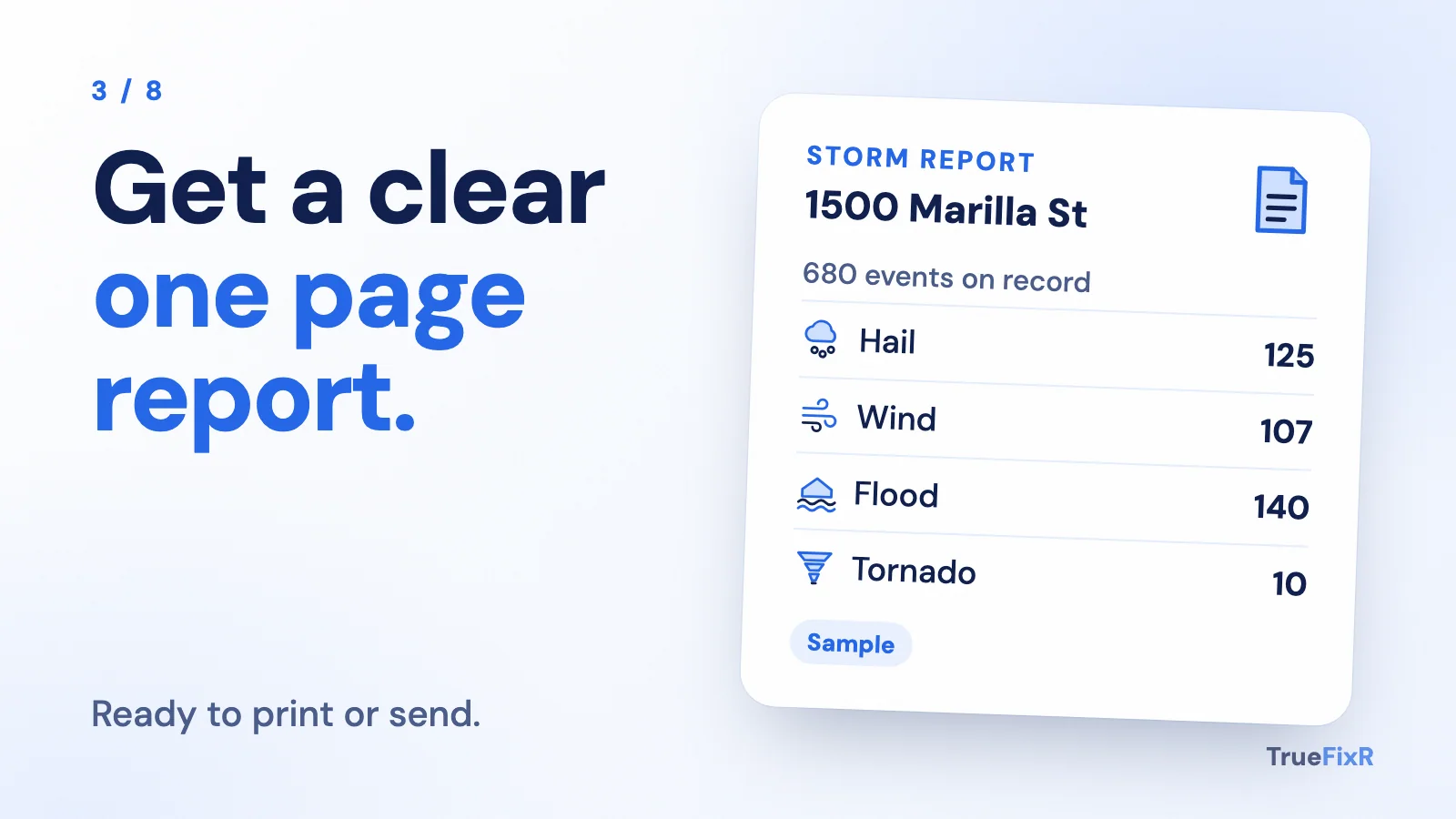
Events on file near this address since 2003
Reported and radar-detected events. This is not an inspection or a damage assessment.
Three possible answers
Every check ends in one of three answers.
Have a developer?
Hand them this code.
It gives your software the same yes, no or not enough data answer.
For developers: the code
import requests

def check_loss_date(address, date_of_loss, radius_mi=5):
    """Returns (status, answer, on_file). status: supported | not supported | not enough data."""
    try:
        r = requests.get(
            "https://data.truefixr.com/v1/data",
            params={"dataset": "history", "address": address,
                    "date_of_loss": date_of_loss, "radius_mi": radius_mi},
            timeout=30,
        )
    except requests.RequestException:
        return "not enough data", "Could not reach the API.", {}
    if r.status_code != 200:
        return "not enough data", r.json().get("detail", f"HTTP {r.status_code}"), {}
    d = r.json()
    if not d.get("real_line_count"):
        return "not enough data", "No storm history on file near this address.", {}
    status = "supported" if d["date_of_loss_supported"] else "not supported"
    on_file = {k: v for k, v in d["by_peril"].items() if v}
    return status, d["answer"], on_file

if __name__ == "__main__":
print(check_loss_date("2100 Ross Ave, Dallas, TX 75201", "2024-05-28"))export async function checkLossDate(address, dateOfLoss, radiusMi = 5) {
const url = new URL("https://data.truefixr.com/v1/data");
url.search = new URLSearchParams({
dataset: "history", address, date_of_loss: dateOfLoss, radius_mi: radiusMi,
});
let r;
try { r = await fetch(url, { signal: AbortSignal.timeout(30000) }); }
catch { return { status: "not enough data", answer: "Could not reach the API.", onFile: {} }; }
const d = await r.json();
if (!r.ok) return { status: "not enough data", answer: d.detail ?? `HTTP ${r.status}`, onFile: {} };
if (!d.real_line_count)
return { status: "not enough data", answer: "No storm history on file near this address.", onFile: {} };
const onFile = Object.fromEntries(Object.entries(d.by_peril).filter(([, n]) => n));
return { status: d.date_of_loss_supported ? "supported" : "not supported", answer: d.answer, onFile };
}
console.log(await checkLossDate("2100 Ross Ave, Dallas, TX 75201", "2024-05-28"));# Free preview. No key needed. curl -s -G "https://data.truefixr.com/v1/data" \ --data-urlencode "dataset=history" \ --data-urlencode "address=2100 Ross Ave, Dallas, TX 75201" \ --data-urlencode "date_of_loss=2024-05-28" \ --data-urlencode "radius_mi=5"
How to use it
Three steps.
Check the date when a claim is opened or its date changes
Send the loss address and the claimed date.
Store the result on the claim
Save the status, the answer sentence and the date you checked. Show them next to the loss date.
Buy the full report only when someone needs it
The preview already shows the real line count and the real price. Buy the report only for claims where the adjuster wants the event list.
What it costs
Checking is free. Reports are 5 cents a line, from $10.
$10.00 minimum per report. The date-of-loss check on the free preview costs nothing. The paid history report is $0.05 per line, and a report is never less than $10.00.
The preview tells you the line count and the exact total first. For the Dallas address above, it showed 672 lines, $33.60.
Honest limits
What a result means.
Reported and radar-detected
Results come from reported and radar-detected storm events near the address. A quiet day on file does not prove nothing happened.
Not an inspection
It says a storm was detected near an address on a date. It does not say what happened to any structure. It is not a damage assessment.
A record, not a finding
A result says a storm was or was not reported near a date. It does not confirm a loss or any damage. Your adjusters and your rules still decide the claim.
What you can build
Your data. Your template. Your brand.
We sell the storm data. You decide how it looks. Everything comes back as JSON you can save, and lists also come as a CSV file with format=csv.
A branded report
Your logo, your layout. Our data fills it in.
A spreadsheet
Storm facts in a column next to each customer.
A CRM field
Save storm history on every customer record.

Your own text or email alert
Check on a schedule, then send your own message when a storm is near.

A map
Drop every address on your own map.

A mobile app
Put a storm check in your team's pocket.
Use it in your own tools. We do not lock you into a report format.
Start free in 2 minutes. No contract.
Try the free preview first. Add money to your balance only when you want the full answer. You pay only for what you use.
- Free previews
- No contract
- Pay only for what you use